Send each request down the right path.
Start different workflows according to department, employee role, course type, location, request amount, or other policy conditions.
 Contact Us
Karas connects training requests, multi-level approvals, supporting documents, and reimbursement status. Configure the review path around your organization’s policies and keep decisions with the training record.

Karas workflows are bespoke
to match your enterprise.
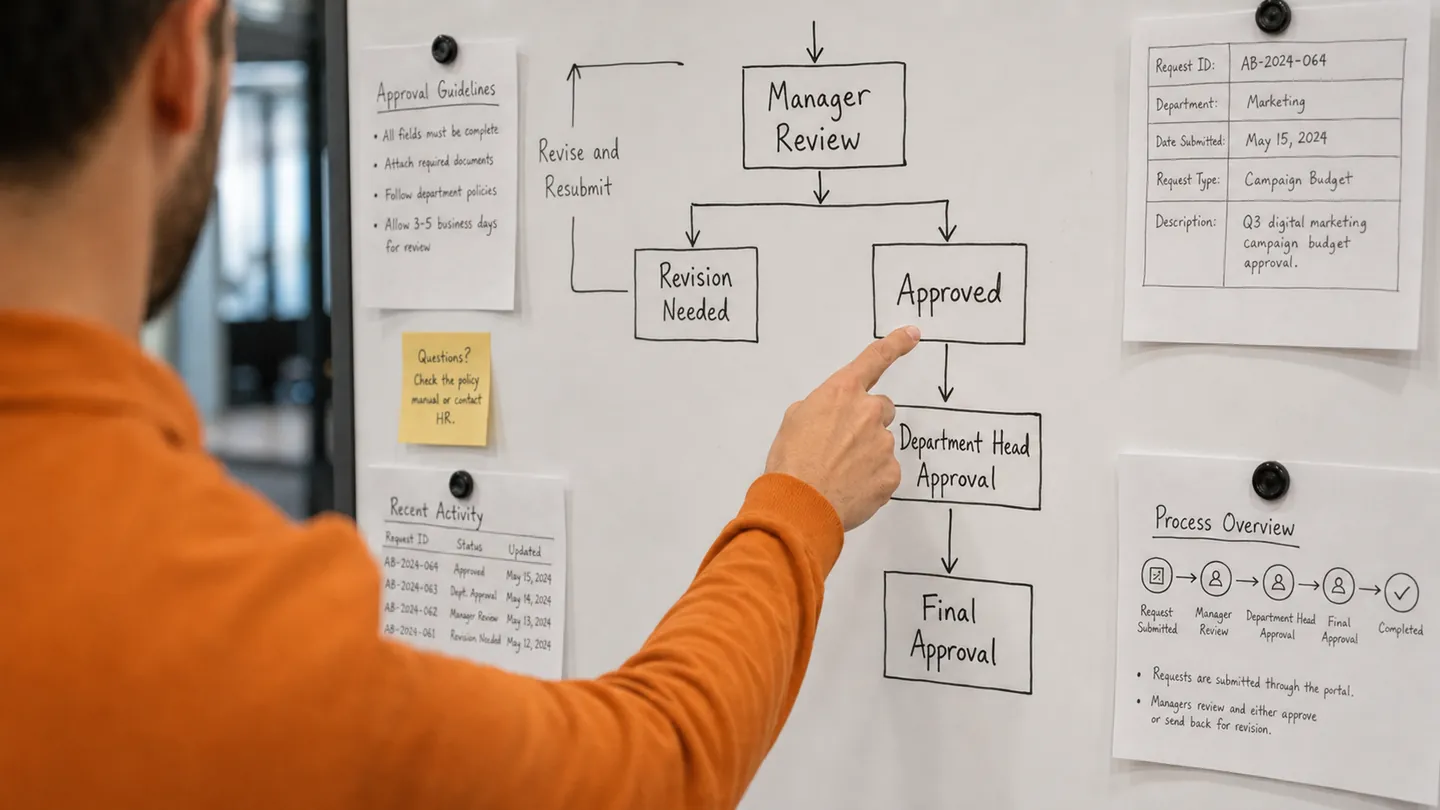
Start different workflows according to department, employee role, course type, location, request amount, or other policy conditions.
Route a request through the line manager, department head, HR, L&D, Finance, or budget owner before it is confirmed.
Choose approvers by role and allow delegated reviewers to take action when the original approver is unavailable.
Approvers can approve, reject, return a request for more information, and leave comments that remain with the record.
Notify employees and approvers when action is required, then send follow-ups when a request remains outstanding.
Record who reviewed each request, what decision was made, when it happened, and any supporting comments or documents.
Claims & Reimbursements
Manage the full reimbursement process in Karas — from eligibility and supporting evidence to approval and payment status.
Set eligible training costs, reimbursement limits, submission periods, and employee eligibility so every claim begins with the right policy.
Employees attach receipts, invoices, certificates, and notes directly to the related training request, keeping every document together.
Route claims to the right reviewers and give employees, HR, and Finance a clear view of approval decisions and reimbursement status.
Define the policy, the reviewers, and the evidence needed at each stage.
Yes. Route requests according to department, employee role, course type, location, request amount, or other configured policy conditions. Review stages can include a line manager, department head, HR, learning and development, Finance, or a budget owner.
Reviewers can return a request for more information and leave comments with the record. Approval history records the reviewer, decision, and time. Delegation and reminder options help teams manage pending reviews.
An employee submits course details and a sponsorship request. After review and course completion, the employee adds the required receipts, invoices, or certificates. The claim follows your configured review stages, with visibility of its approval and reimbursement status. See external training management for the full course lifecycle.
Make every request
move with purpose.